
Protaverse Installation
Protaverse, while being a web based social media platform, can also be installed on a Wii U or Nintendo 3DS console!
By the end of this guide, you should be able to use Protaverse on a Wii U or Nintendo 3DS
Note: You do not need to install Protaverse on a console to use Protaverse.
Note: Currently, this guide is outdated. Do not use it right now.
What is the point of installing?
Installing Protaverse on a console can give much more life into your system! Original Miiverse usage can be replaced with Protaverse usage. We'll give an example. Ever wonder where those Mii's in Nintendo Land Plaza were gotten? Those were from Miiverse! And Protaverse is able to replace them!
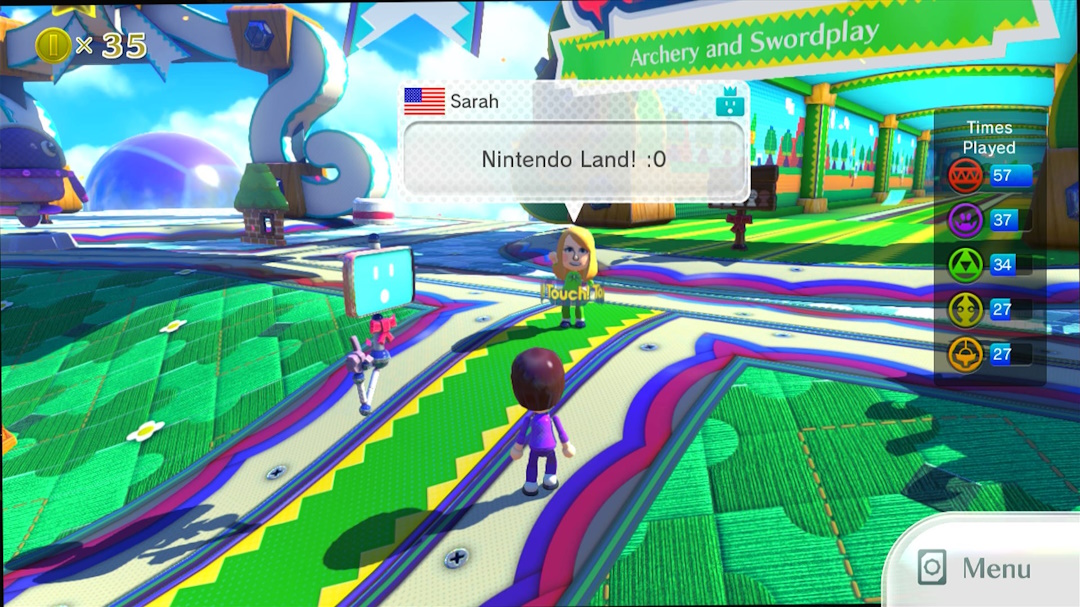
Protaverse supports a wide range of games, some notable ones including:
- GAME & WARIO
- New Super Mario Bros U.
- Nintendo Land
- Badge Arcade
- Rayman Legends
- SONIC LOST WORLD
- Wii Fit U
- Splatoon
- And many more..
Now with that, let's get started with the process.
How to install? (Wii U)
Installing Protaverse to your Wii U is as easy as putting a plugin in the plugins folder of your Wii U's SD Card! Head over to the GitHub page and download the latest release of Inkay-Aquamarine.wps Here
Then place the plugin in:
SD:\wiiu\environments\aroma\plugins\Inkay-Aquamarine.wps
Once you're done with that, simply boot up your Wii U, and enable the plugin! Then, you should be all good to go to enjoy Protaverse!
Note: you will need to disable all other Inkay plugins.
How to install? (3DS)
Installing Protaverse to your 3DS is as simple as extracting files to the root of your 3DS's SD card. Here
Extract all files into their neccesary spots:
SD:\3ds\aquamarine.pem
SD:\3ds\juxt-prod.pem
SD:\luma\titles\000400300000BC02\code.ips
SD:\luma\titles\000400300000BD02\code.ips
SD:\luma\titles\000400300000BE02\code.ips
Once you're all done, make sure game patching is enabled in your Luma 3DS settings. Then, you should be all good to go to enjoy Protaverse!